CliSpec
This is a documentation page for the CliSpec project and showcases some proof of concepts around static analysis of shell scripts.
Shell scripts have a notoriously high degree of dynamism and flexibility making them the number one choice for constructing pipelines of programs. It’s common place to write shell scripts that rely on external assumptions, such as programs being installed, environment variables being set or files existing in specific locations. This externalization often leads to debugging trivial errors at runtime and poor portability. In order to move such errors to compile time, the system needs to be augmented with more information about programs and their arguments. Such information can enable the system to reason about an individual program invocation statically. Take for example the following:
rm file.txt --interactive=true
While the usage of rm is widely known due to it’s prevalence, it may not be obvious that the above invocation is actually guaranteed to error at runtime, simply because “true” is actually not a valid option for the interactive option. Only valid options are: ‘never’ | ‘no’ | ‘none’ |‘once’ | ‘always’ | ‘yes’. Furthermore, with this script alone there is no guarantee that the program will succeed, as it’s unclear whether file.txt exists in this context.
However, by communicating all of the options and valid uses of rm to a static checker, we can get warnings about these things ahead of time. This introduces the concept of specifications which provide a human and machine readable way of interfacing with popular CLI programs. With a collection of specifications stored in a database, a static checker can also start to reason about entire shell scripts. In this context there are a host of different errors to be able to defend against. There’s a whole host of errors that can be checked ahead of time related to the shell interpreter such as environment variables, control flow, behaviour of builtin commands and basic file I/O.
Specifications
cat
cp
echo
gzip
head
mkdir
printf
rm
touch
Examples
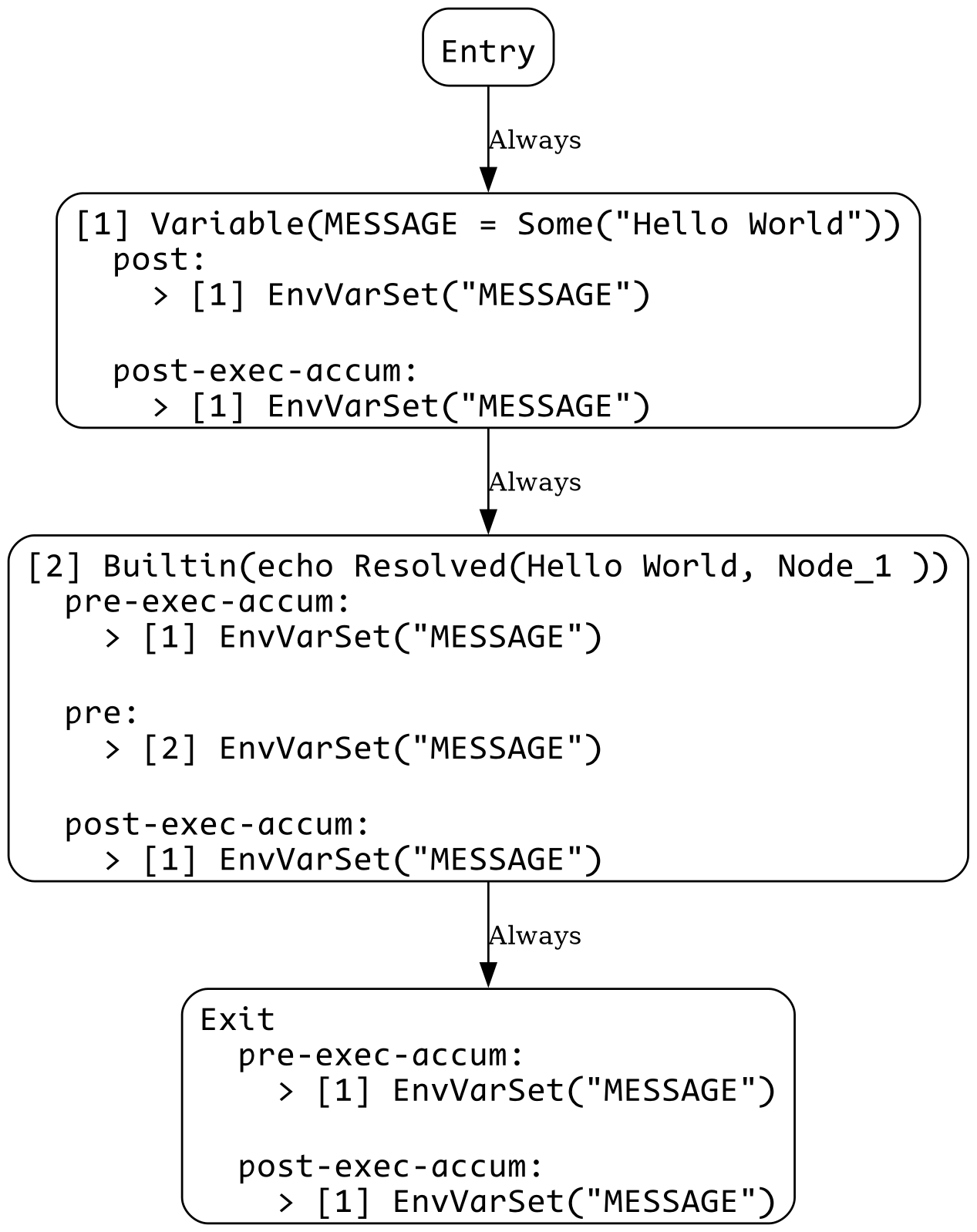
1_var_use.sh
MESSAGE="Hello World"

echo $MESSAGE
View CFG
1_var_use_err.sh
echo $MESSAGE
Error:
  × Unmet Precondition
   ╭─[:1:7]
 1 │ echo $MESSAGE
   ·       ───┬───
   ·          ╰── Precondition EnvVarSet("MESSAGE") could not be met
   ╰────
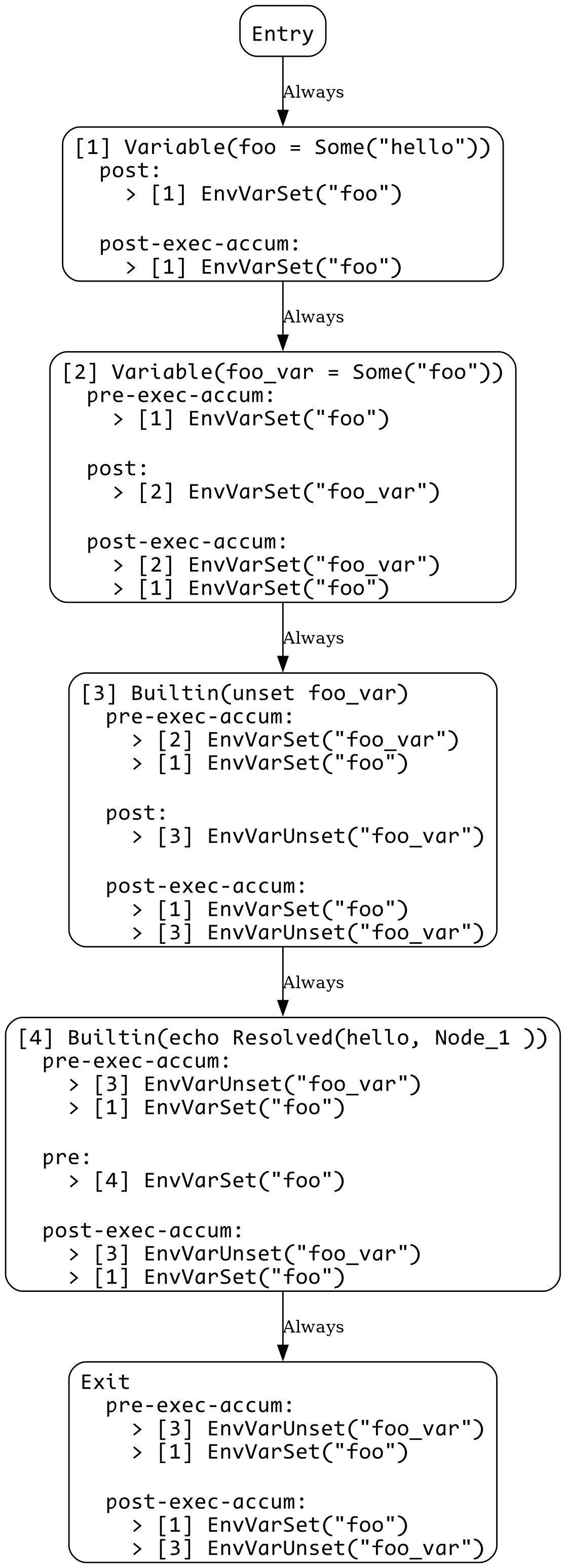
2_var_unset.sh
foo=hello
foo_var=foo

unset foo_var

echo $foo
View CFG
2_var_unset_err.sh
foo=hello
foo_var=foo

unset $foo_var

echo $foo
Error:
  × Unmet Precondition
   ╭─[:6:7]
 5 │
 6 │ echo $foo
   ·       ─┬─
   ·        ╰── Precondition EnvVarSet("foo") could not be met
   ╰────
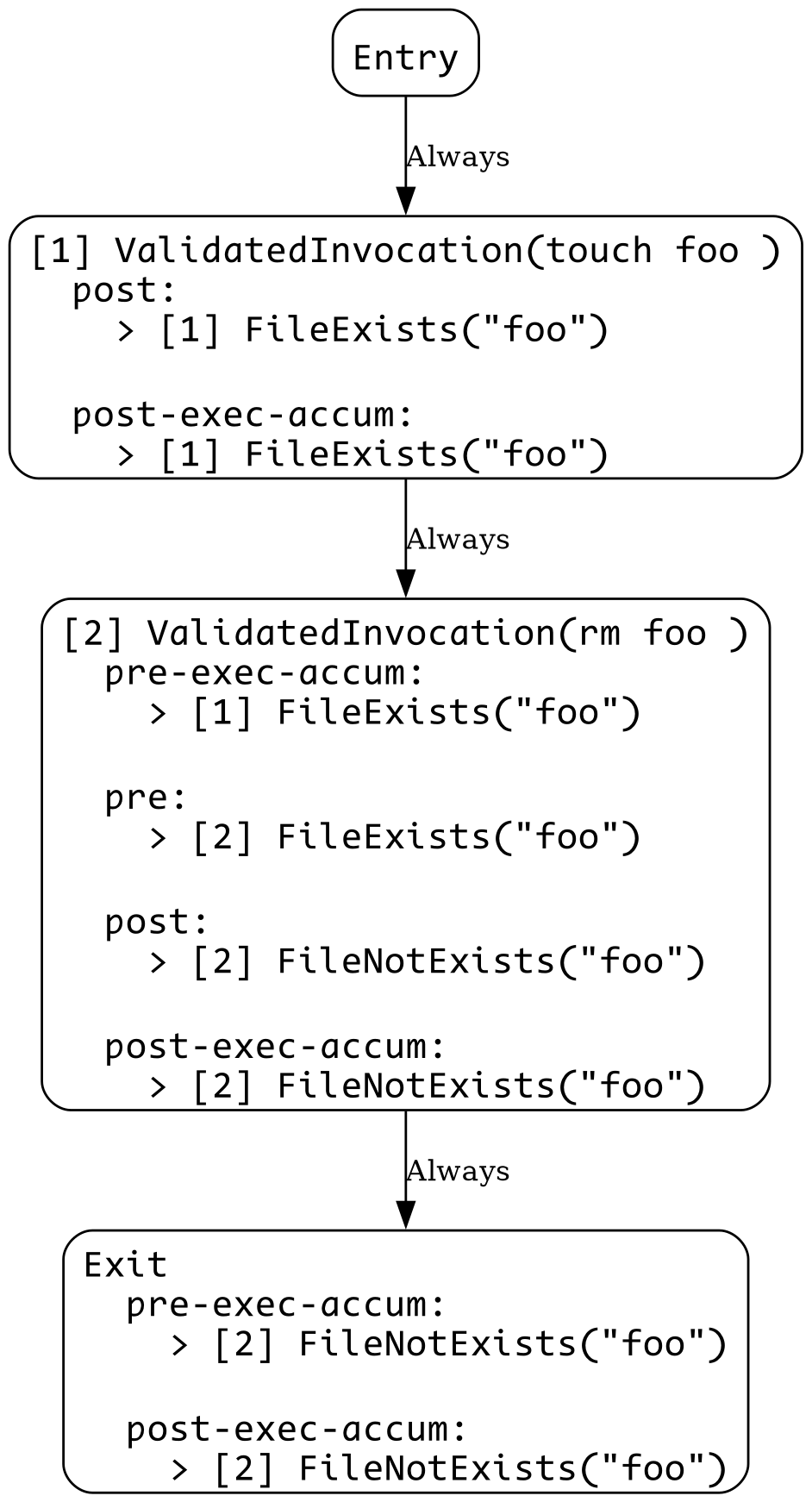
3_file_exists.sh
touch foo
rm foo
View CFG
3_file_exists_err.sh
touch foo

rm foo bar
Error:
  × Unmet Precondition
   ╭─[:3:8]
 2 │
 3 │ rm foo bar
   ·        ─┬─
   ·         ╰── Precondition FileExists("bar") could not be met
   ╰────
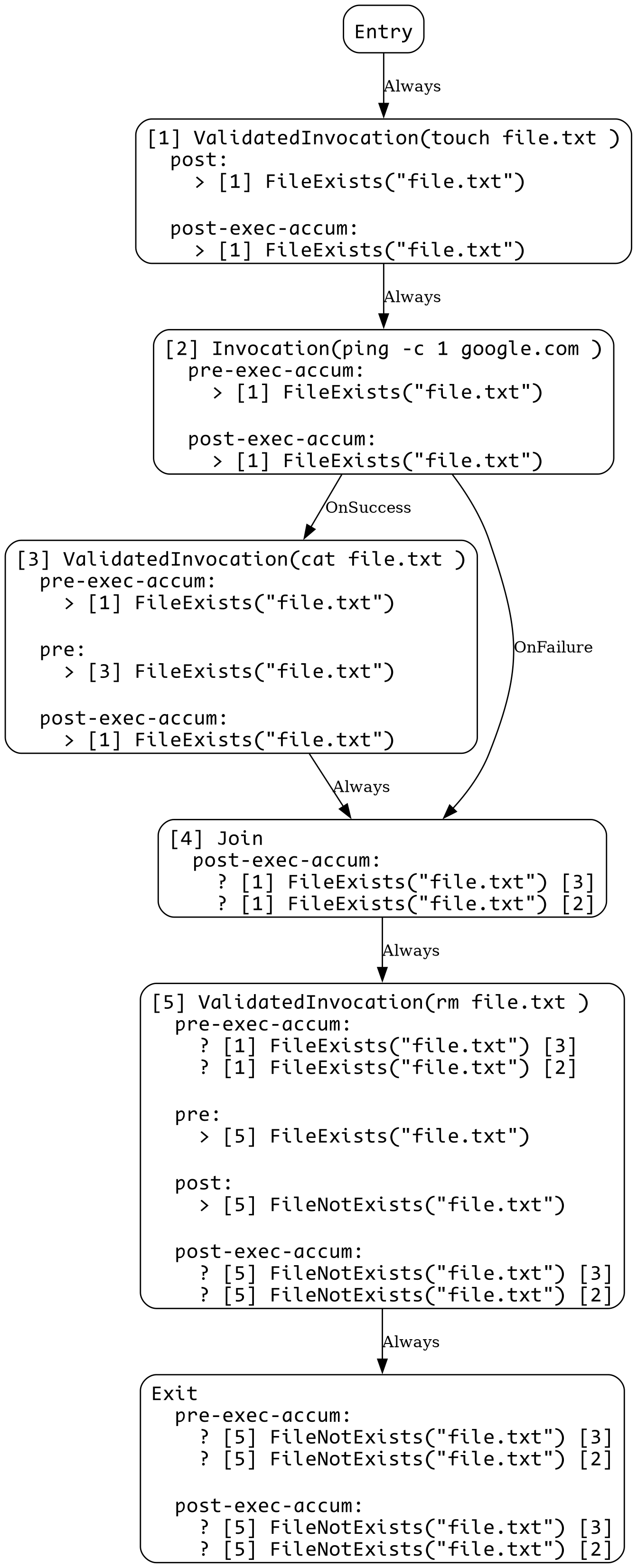
4_control_flow.sh
touch file.txt

if ping -c 1 google.com; then
    cat file.txt
fi

rm file.txt
View CFG
4_control_flow_err.sh
touch file.txt

if ping -c 1 google.com; then
    rm file.txt
fi

cat file.txt
Error:
  × Potentially Unmet Precondition
   ╭─[:7:5]
 6 │
 7 │ cat file.txt
   ·     ────┬───
   ·         ╰── FileExists("file.txt") not satisfied due to: Some("rm file.txt")
   ╰────